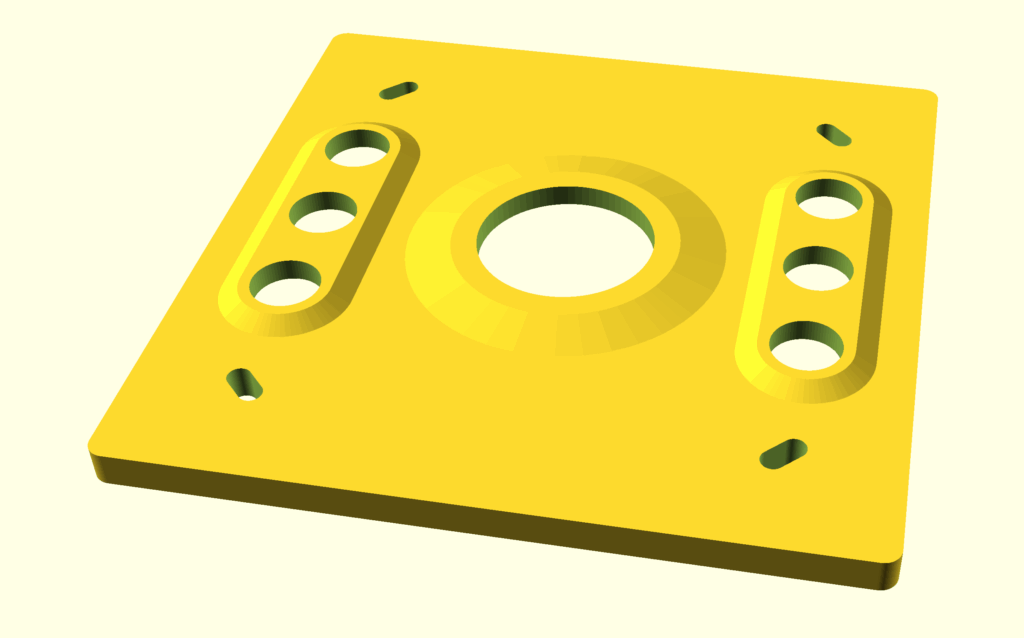
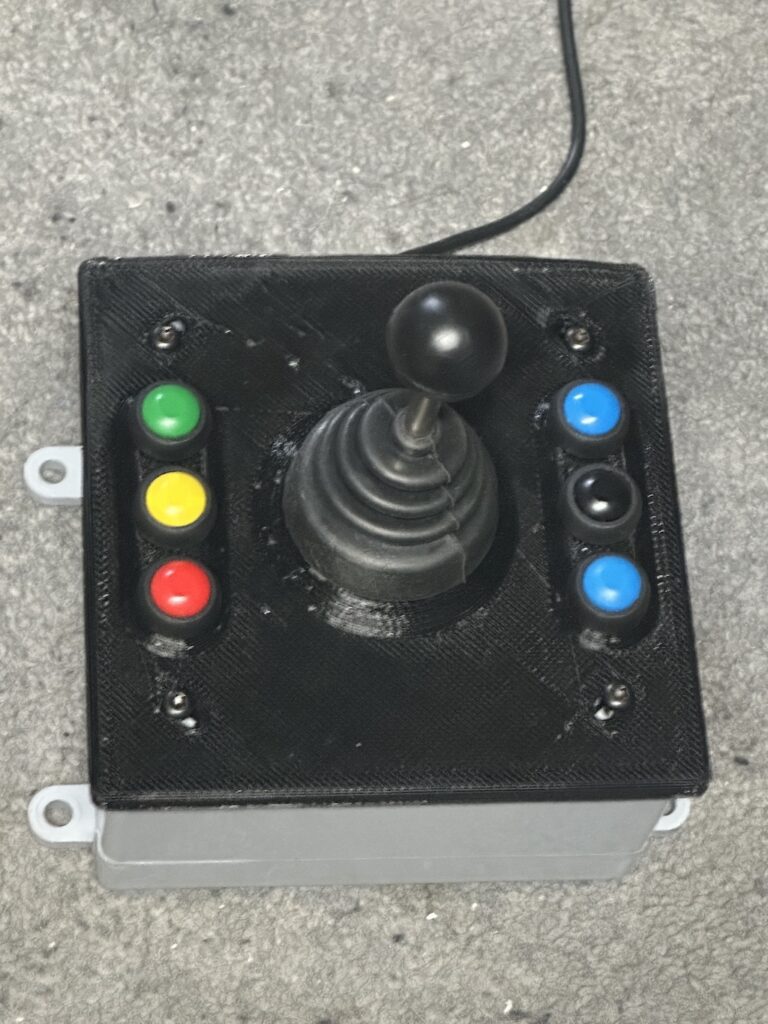
I made this simple Pendant for FireControl. You can easily customize it for other platforms.
red, yellow, & green buttons are stop, pause, & start
black switches nudge / jog mode, and the blue buttons jog the torch
See below for the STL file and source code…
The plate fits a standard double gang box…
/*
Jog X+: Right Arrow Key
Jog X-: Left Arrow Key
Jog Y+: Up Arrow Key
Jog Y-: Down Arrow Key
Jog Z+: Page Up Key
Jog Z-: Page Down Key
Toggle Nudge Jog: Tab Key
Start Program: ALT + R
Pause Program: Space Bar
Stop Program: ALT + S
*/


#include "Keyboard.h"
#define LED_PIN     13

#define BUTTON_PIN1 A0
#define BUTTON_PIN2 A1
#define BUTTON_PIN3 A2
#define BUTTON_PIN4 A3
#define BUTTON_PIN5 A4
#define BUTTON_PIN6 A5
#define BUTTON_PIN7 9
#define BUTTON_PIN8 10
#define BUTTON_PIN9 11
#define BUTTON_PIN10 12

void setup() {

  Keyboard.begin();

  pinMode(BUTTON_PIN1, INPUT);
  pinMode(BUTTON_PIN2, INPUT);
  pinMode(BUTTON_PIN3, INPUT);
  pinMode(BUTTON_PIN4, INPUT);
  pinMode(BUTTON_PIN5, INPUT);
  pinMode(BUTTON_PIN6, INPUT);
  pinMode(BUTTON_PIN7, INPUT);
  pinMode(BUTTON_PIN8, INPUT);
  pinMode(BUTTON_PIN9, INPUT);
  pinMode(BUTTON_PIN10, INPUT);

  digitalWrite(LED_PIN, HIGH);

  digitalWrite(BUTTON_PIN1, HIGH);
  digitalWrite(BUTTON_PIN2, HIGH);
  digitalWrite(BUTTON_PIN3, HIGH);
  digitalWrite(BUTTON_PIN4, HIGH);
  digitalWrite(BUTTON_PIN5, HIGH);
  digitalWrite(BUTTON_PIN6, HIGH);
  digitalWrite(BUTTON_PIN7, HIGH);
  digitalWrite(BUTTON_PIN8, HIGH);
  digitalWrite(BUTTON_PIN9, HIGH);
  digitalWrite(BUTTON_PIN10, HIGH);

}

void loop() {

  digitalWrite(LED_PIN, !digitalRead(LED_PIN));

  if (digitalRead(BUTTON_PIN1) == 0) {
     Keyboard.press(KEY_UP_ARROW);
     while (digitalRead(BUTTON_PIN1) == 0) {}
     Keyboard.releaseAll();
     delay(25);
   }

  else if (digitalRead(BUTTON_PIN2) == 0) {
     Keyboard.press(KEY_DOWN_ARROW);
     while (digitalRead(BUTTON_PIN2) == 0) {}
     Keyboard.releaseAll();
     delay(25);
   }

  else if (digitalRead(BUTTON_PIN3) == 0) {
     Keyboard.press(KEY_LEFT_ARROW);
     while (digitalRead(BUTTON_PIN3) == 0) {}
     Keyboard.releaseAll();
     delay(25);
   }

  else if (digitalRead(BUTTON_PIN4) == 0) {
     Keyboard.press(KEY_RIGHT_ARROW);
     while (digitalRead(BUTTON_PIN4) == 0) {}
     Keyboard.releaseAll();
     delay(25);
   }

  else if (digitalRead(BUTTON_PIN5) == 0) {
     Keyboard.press(KEY_PAGE_UP);
     while (digitalRead(BUTTON_PIN5) == 0) {}
     Keyboard.releaseAll();
     delay(25);
   }

  else if (digitalRead(BUTTON_PIN6) == 0) {
     Keyboard.press(KEY_PAGE_DOWN);
     while (digitalRead(BUTTON_PIN6) == 0) {}
     Keyboard.releaseAll();
     delay(25);
   }

  else if (digitalRead(BUTTON_PIN7) == 0) {
     Keyboard.press(KEY_TAB);
     while (digitalRead(BUTTON_PIN7) == 0) {}
     Keyboard.releaseAll();
     delay(25);
   }

  else if (digitalRead(BUTTON_PIN8) == 0) {
     Keyboard.press(KEY_LEFT_CTRL);
     Keyboard.print("R");
     Keyboard.releaseAll();
     while (digitalRead(BUTTON_PIN8) == 0) {}
     delay(25);
   }

  else if (digitalRead(BUTTON_PIN9) == 0) {
     Keyboard.print(" ");
     while (digitalRead(BUTTON_PIN9) == 0) {}
     delay(25);
   }

  else if (digitalRead(BUTTON_PIN10) == 0) {
     Keyboard.press(KEY_LEFT_CTRL);
     Keyboard.print("S");
     Keyboard.releaseAll();
     while (digitalRead(BUTTON_PIN10) == 0) {}
     delay(25);
   }

   delay(25);
}